Admin of admin: the internal panel multi-tenant SaaS forgets
Every multi-tenant SaaS builds an admin for customers. Almost none build one for the internal team. Three paths (AdminJS, APIs, custom UI) with trade-offs.
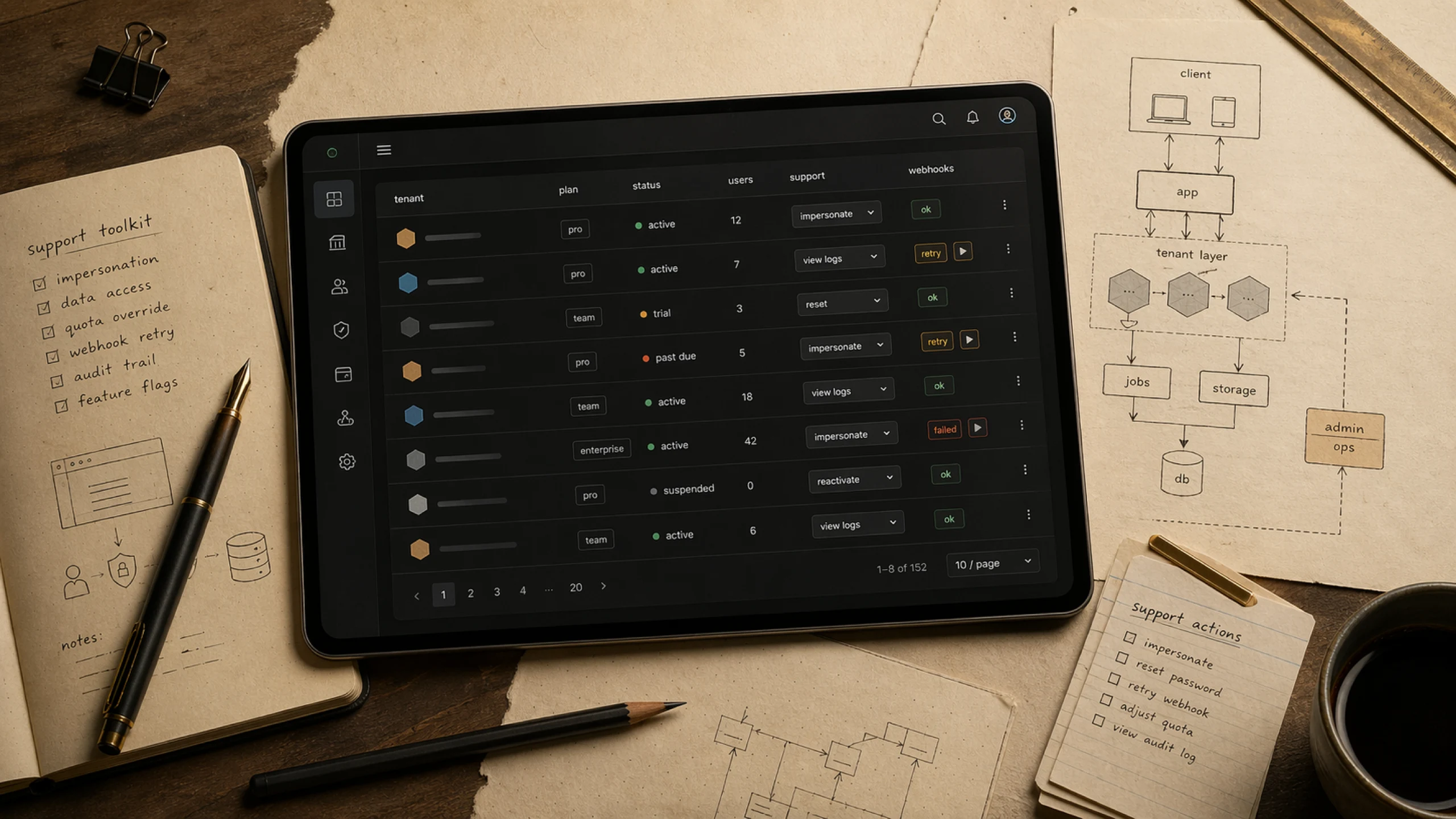
Every multi-tenant SaaS is designed with a governance hierarchy for the customer: the customer admin manages their users. Almost none have the internal equivalent. The first time the support team needs to deactivate a tenant without bringing down others, or resend a stuck webhook, the senior dev becomes a human pgAdmin—and the delivery roadmap dies.
Why the internal admin is always left for later
SaaS in the pre-product-market-fit phase is a race against cash. The founder looks at the spreadsheet, sees a minimum CAPEX of $30k (team, infra for 6-12 months, integrations), and narrows attention to what generates revenue: features for the end customer. The internal admin vanishes from the map—after all, “as long as we’re small, we’ll fix it in the database.”
The cost of this decision doesn’t appear in the sprint it was made. It appears three sprints later, when the first support ticket arrives and the runbook is “call the dev.” Six sprints later, the 4-dev team operates like 3.2 FTEs—0.8 FTE evaporates in the L2 queue. Twelve sprints later, delivery has slipped two releases, and the accumulated churn is attributed to “product issues” when, at the root, it was the absence of internal tools.
Second-order thinking: the correct distribution is not “100% front of house, 0% kitchen.” It’s the minimum viable kitchen that keeps the front of house running while the cash grows.
Three layers, and the one that gets forgotten
Every multi-tenant B2B SaaS operates across three distinct administrative layers—each with its own audience, purpose, and cost.
Layer 1 — End-customer feature. The product itself: the domain CRUD, the flows the end user executes, what the PM tracks in OKRs. Every SaaS thinks about this; it’s where the founder concentrates attention from the first sprint.
Layer 2 — Tenant governance. The customer administrator operates this layer. tenant settings live here: logo, white-labeling, custom domains, SSO (SAML/OIDC), password policies, user and invite management, internal tenant auditing, and billing by plan. As a B2B SaaS matures, this layer grows and becomes part of the sold value—“our enterprise SSO supports SAML” is a Layer 2 feature, not Layer 1.
Layer 3 — Internal SaaS management. This is neither a product feature nor a customer configuration—it’s what the SaaS team itself needs to operate the platform: support with impersonation, deactivating a tenant without affecting others, reprocessing integrations, consolidated cross-tenant billing, operational metrics for the SaaS itself, and runbooks executable by non-devs. Only the internal admin does this.
Most pre-product-market-fit SaaS reach Layer 1 completely, Layer 2 fragmented (SSO appears, branding doesn’t; users appear, auditing doesn’t), and Layer 3 nonexistent. This post is about Layer 3—the other two deserve their own post.
Three paths
There is no single solution—there are three, with distinct costs. The choice depends on the stage, revenue model, and the level of customization the internal admin needs.
1. Auto-generated OSS — AdminJS, Forest Admin, Retool
Tools that read the database schema and automatically generate administrative CRUDs.
- Cost: installing a library and accepting generic UX. It looks like an internal system from the 2000s. Extending beyond CRUD creates increasing friction.
- When it fits: pre-product-market-fit. Small team. The internal admin is a tool for devs and L2 support, not a visible product for the customer.
2. Minimum set of internal APIs + scripts + runbooks
Protected endpoints (or an internal CLI) that L2 support executes via curl, Postman, or versioned scripts.
- Cost: every action passes through the dev team via PR or approval. It doesn’t scale to L1. Auditing depends on well-thought-out structured logging from the start.
- When it fits: small technical teams where L1/L2 don’t exist yet—support is the dev themselves. Transitional.
3. Custom UI from the MVP
An internal admin with its own design and flow, part of the same design system as the product.
- Cost: 2-4 sprints that don’t go toward the sold product. Premature in most cases.
- When it fits: when the internal admin is part of the sold product—for example, white-labeling where each tenant has admins for their own sub-tenants and the support flow is a perceived differentiator.
What I did at Consig360
Consig360 is a multi-tenant white-label payroll loan platform. Before go-live, I chose (1): AdminJS over the existing schema. A deliberately temporary decision.
The declared trigger for migrating to (3): when the AdminJS UX started appearing as friction in renewal conversations or new customer onboarding—not before. Until that point, the cost of building a custom UI would be CAPEX without a measurable return.
What the internal admin buys you
It’s not a product feature. It’s a reduction in the load on the team building the product.
With the panel in place, the support team executes actions that don’t depend on the dev team: resetting passwords, impersonating to reproduce bugs, reprocessing integrations, deactivating tenants, resending webhooks, or running one-off backfills. The protected senior dev stays focused on delivery. When a recurring problem is identified as a process or journey failure—not a bug—the answer is to add an action to the panel, empowering support to resolve it while the journey fix is prioritized in the delivery pipeline.
The minimum viable “admin of admin”: 5-7 support actions mapped to the three most frequent problems in the first month of production. It costs 1-2 sprints. Not paying this cost costs you the entire dev team.
The architect’s role in this conversation
The architect gathers enough technical context for business decision-makers to decide with the real cost on the table. They don’t decide alone; they don’t push aesthetics. In this specific conversation, the contribution is translating “the internal admin can wait” into “postponing it costs 0.8 FTE starting from sprint N.” With this number, the decision stops being an opinion.